mobility-management-linux
Instance Usage
Make sure you are under $mobility-management-linux when using these commands
# make sure
cd $mobility-management-linux
# activate .venv
source .venv/bin/activate
Home Agent
home_agent.py- HA implementationha.cfg- HA configuration
Currently HA only has a start service.
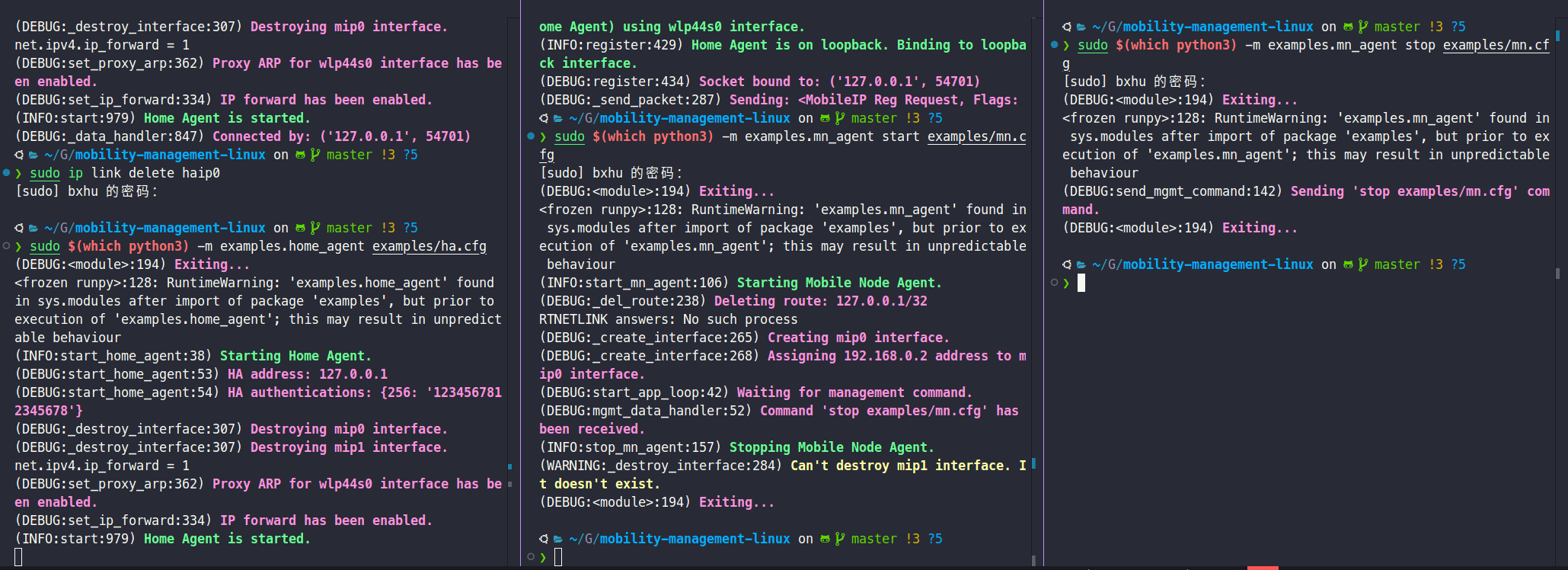
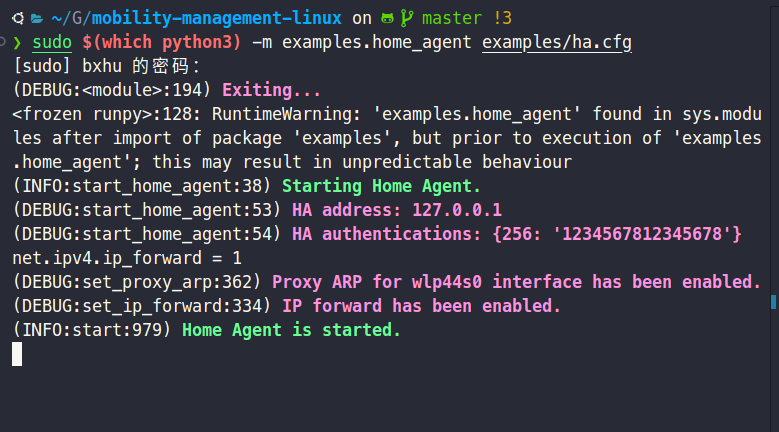
start HA service
# start ha service
sudo $(which python3) -m examples.home_agent examples/ha.cfg
stop HA service
Just use ctrl+c in corresponding CLI window 🌟
Mobile Node
mn_agent.py- MN implementationmn.cfg- MN configuration
Compared to the single start function of HA, you can perform various operations on MN:
start: start MN serviceregister: send a register request from MN to HAderegister: send a register revocation from MN to HAstatus: show current connecting statusstop: turn off MN service
It is strongly recommended that you conduct all experiments in the specified order according to cmds mentioned above.
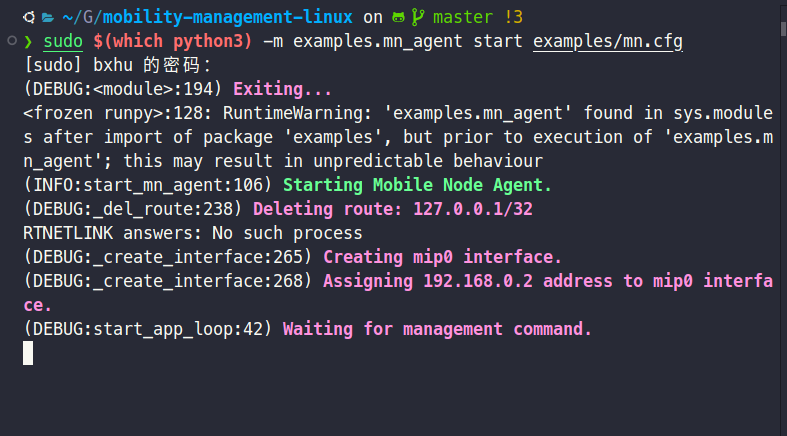
start MN service
sudo $(which python3) -m examples.mn_agent start examples/mn.cfg
register with specific interface
Get your own networked interface:
# install net-tool pkts
sudo apt update
sudo apt install net-tools
# use `ifconfig` to get corresponding interface
ifconfig
For instance, on bxhu’s local machine:
❯ ifconfig
Meta: flags=4305<UP,POINTOPOINT,RUNNING,NOARP,MULTICAST>  mtu 9000
        inet 172.29.0.1  netmask 255.255.255.252  destination 172.29.0.1
        inet6 fe80::b28:ed35:ecef:a0b4  prefixlen 64  scopeid 0x20<link>
        unspec 00-00-00-00-00-00-00-00-00-00-00-00-00-00-00-00  txqueuelen 500  (未指定)
        RX packets 650319  bytes 245351658 (245.3 MB)
        RX errors 0  dropped 0  overruns 0  frame 0
        TX packets 650381  bytes 245140151 (245.1 MB)
        TX errors 0  dropped 0 overruns 0  carrier 0  collisions 0

enp0s31f6: flags=4099<UP,BROADCAST,MULTICAST>  mtu 1500
        ether 98:8f:e0:60:ad:19  txqueuelen 1000  (以太网)
        RX packets 0  bytes 0 (0.0 B)
        RX errors 0  dropped 0  overruns 0  frame 0
        TX packets 0  bytes 0 (0.0 B)
        TX errors 0  dropped 0 overruns 0  carrier 0  collisions 0
        device interrupt 16  memory 0x5e580000-5e5a0000

haip0: flags=209<UP,POINTOPOINT,RUNNING,NOARP>  mtu 65511
        inet 172.16.0.1  netmask 255.255.255.255  destination 172.16.0.1
        inet6 fe80::7f00:1  prefixlen 64  scopeid 0x20<link>
        unspec 7F-00-00-01-00-00-00-00-00-00-00-00-00-00-00-00  txqueuelen 1000  (未指定)
        RX packets 18216  bytes 1108096 (1.1 MB)
        RX errors 0  dropped 0  overruns 0  frame 0
        TX packets 8  bytes 1638 (1.6 KB)
        TX errors 0  dropped 0 overruns 0  carrier 0  collisions 0

lo: flags=73<UP,LOOPBACK,RUNNING>  mtu 65536
        inet 127.0.0.1  netmask 255.0.0.0
        inet6 ::1  prefixlen 128  scopeid 0x10<host>
        loop  txqueuelen 1000  (本地环回)
        RX packets 208141  bytes 357716709 (357.7 MB)
        RX errors 0  dropped 0  overruns 0  frame 0
        TX packets 208141  bytes 357716709 (357.7 MB)
        TX errors 0  dropped 0 overruns 0  carrier 0  collisions 0

vmnet1: flags=4163<UP,BROADCAST,RUNNING,MULTICAST>  mtu 1500
        inet 172.16.122.1  netmask 255.255.255.0  broadcast 172.16.122.255
        inet6 fe80::250:56ff:fec0:1  prefixlen 64  scopeid 0x20<link>
        ether 00:50:56:c0:00:01  txqueuelen 1000  (以太网)
        RX packets 0  bytes 0 (0.0 B)
        RX errors 0  dropped 0  overruns 0  frame 0
        TX packets 1704  bytes 0 (0.0 B)
        TX errors 0  dropped 0 overruns 0  carrier 0  collisions 0

vmnet8: flags=4163<UP,BROADCAST,RUNNING,MULTICAST>  mtu 1500
        inet 172.16.162.1  netmask 255.255.255.0  broadcast 172.16.162.255
        inet6 fe80::250:56ff:fec0:8  prefixlen 64  scopeid 0x20<link>
        ether 00:50:56:c0:00:08  txqueuelen 1000  (以太网)
        RX packets 0  bytes 0 (0.0 B)
        RX errors 0  dropped 0  overruns 0  frame 0
        TX packets 1700  bytes 0 (0.0 B)
        TX errors 0  dropped 0 overruns 0  carrier 0  collisions 0

wlp44s0: flags=4163<UP,BROADCAST,RUNNING,MULTICAST>  mtu 1500
        inet 192.168.31.164  netmask 255.255.255.0  broadcast 192.168.31.255
        inet6 fe80::6798:8343:cf4b:d02  prefixlen 64  scopeid 0x20<link>
        ether e0:0a:f6:9b:0d:5b  txqueuelen 1000  (以太网)
        RX packets 759794  bytes 630973464 (630.9 MB)
        RX errors 0  dropped 0  overruns 0  frame 0
        TX packets 514337  bytes 74975406 (74.9 MB)
        TX errors 0  dropped 242 overruns 0  carrier 0  collisions 0
Our target address should start with 192.168.
Therefore, it’s easy to identify wlp44s0, whose inet address is 192.168.31.164.
Please fill in the interface_name and address in the .cfg file accordingly.
Modify your configuration file (mn.cfg):
[MobileNodeAgent]
spi=256
key=1234567812345678
home_agent=127.0.0.1
home_address=192.168.0.2
#TODO(user): This line should be config according to your own network
if_gateways={"wlp44s0": "192.168.31.164"} # on bxhu's linux physical machine
Fill interface_name and address in if_gateways={}.
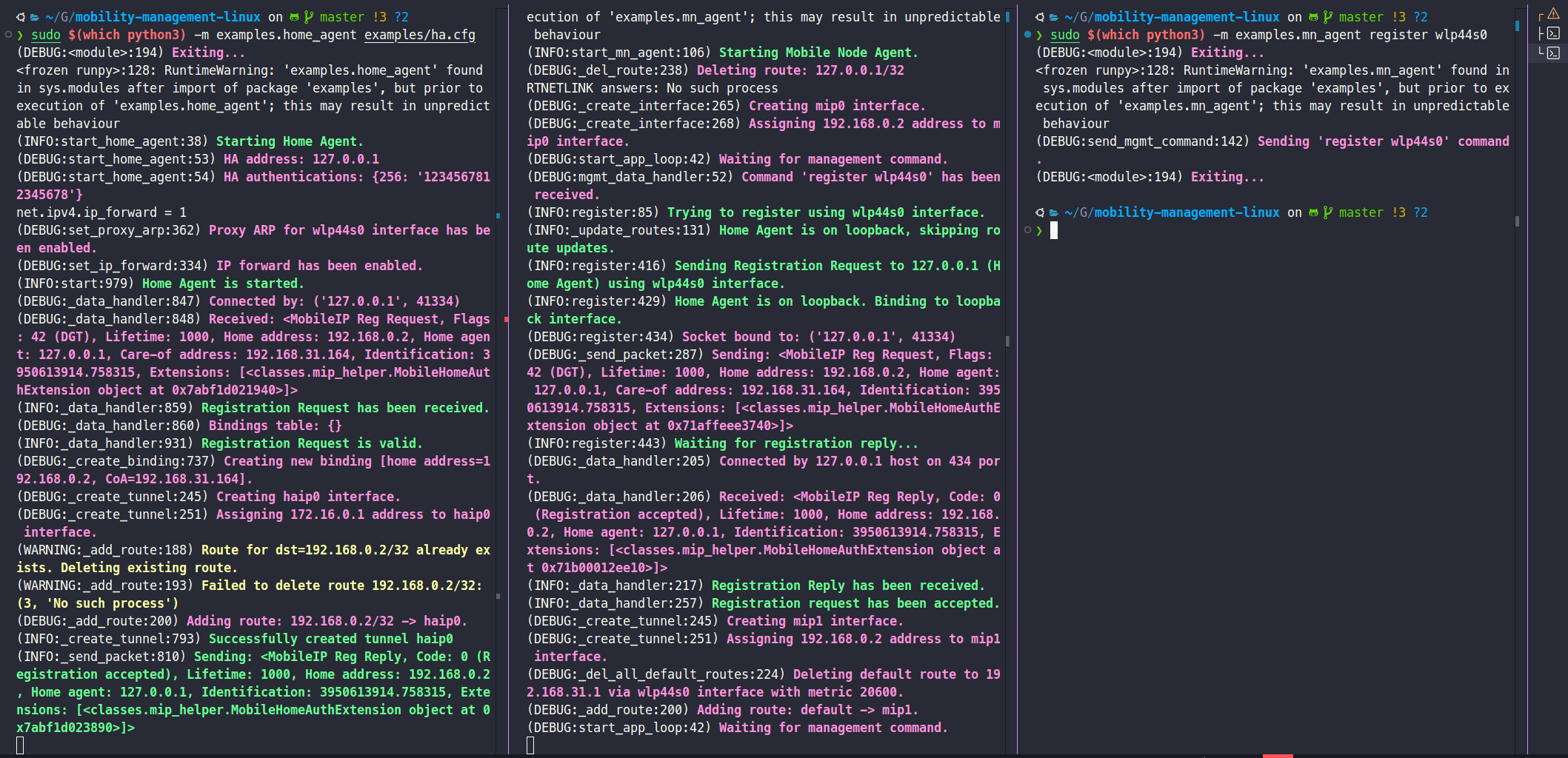
Register with this interface
sudo $(which python3) -m examples.mn_agent register [YOUR-INTERFACE]
[YOUR-INTERFACE] is the same as that in .cfg file
deregister
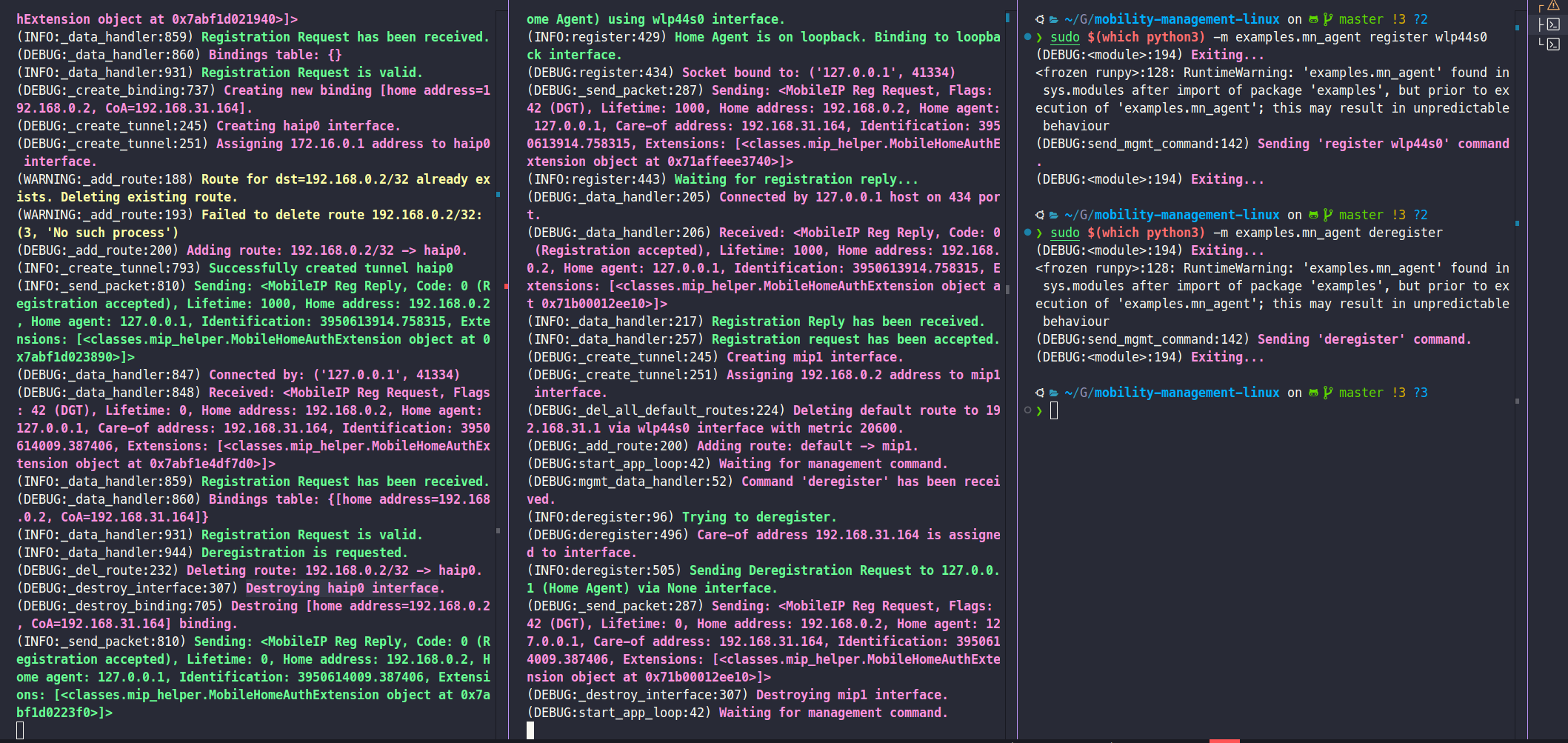
sudo $(which python3) -m examples.mn_agent deregister
get status info
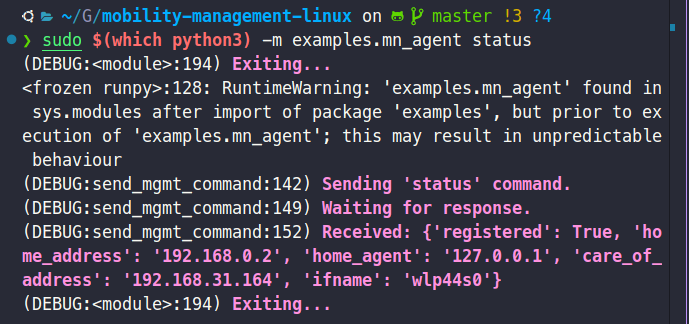
sudo $(which python3) -m examples.mn_agent status
stop MN service
sudo $(which python3) -m examples.mn_agent stop examples/mn.cfg